
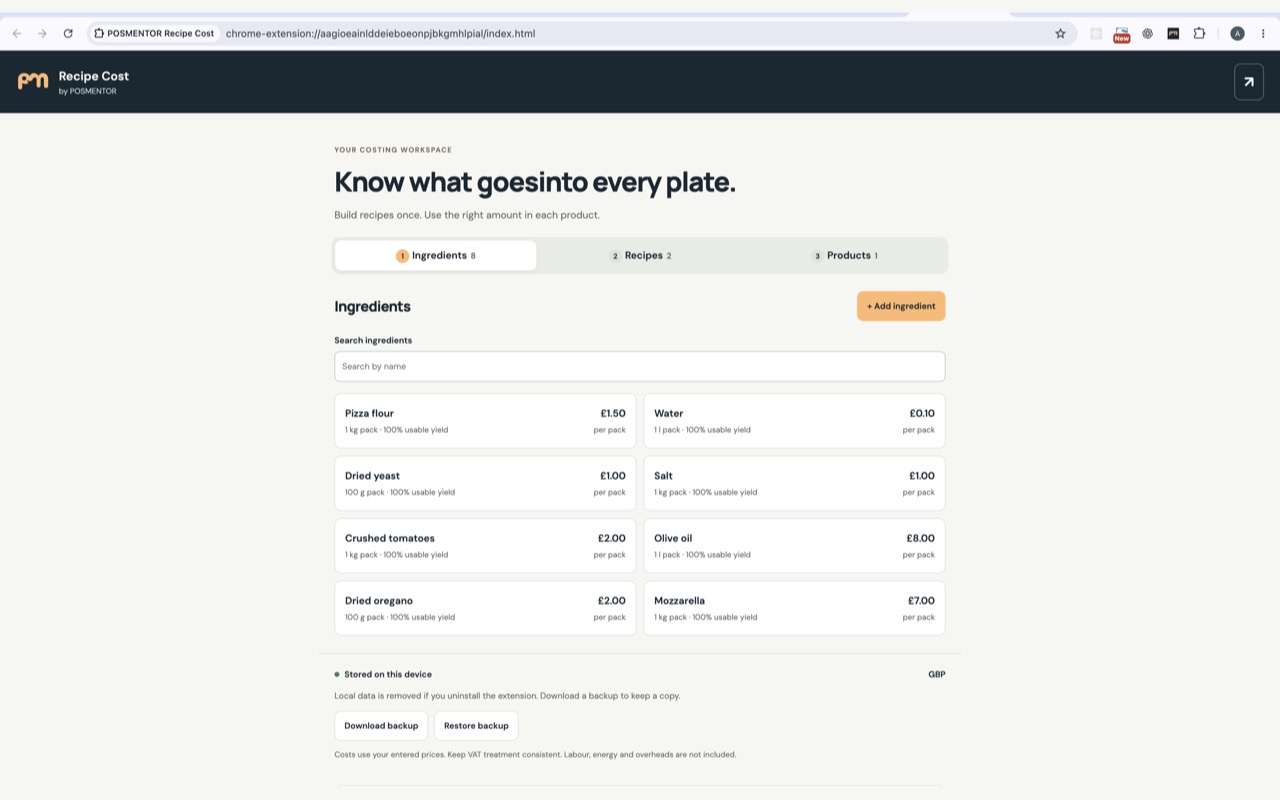
From a purchase pack to a finished product
Start with the supplier's pack quantity and price. Enter the usable percentage if trimming or preparation leaves less than the purchased amount. Then use ingredients directly in a product, or combine them into a batch recipe that supplies several products.
- Ingredients: save the pack quantity, purchase price, usable yield and an optional price date.
- Recipes: enter the ingredients and the batch's finished weight, volume or number of portions. A recipe can include another recipe.
- Products: combine ingredients and quantities of prepared recipes into the item you sell.
Updating a purchase price recalculates linked recipe and product costs. An unknown price leaves the affected total incomplete; it does not become a free ingredient. Grams and kilograms can be converted, but a litre is not treated as a kilogram.
A latte and a cheese sandwich, worked through
Illustrative example: these are invented prices and quantities for learning the calculator, not current supplier prices, customer results or a verified food preparation recipe. Replace them with your own records. Price dates are intentionally blank.
| Ingredient | Purchase pack | Pack price | Usable yield |
|---|---|---|---|
| Espresso beans | 1 kg | £20.00 | 100% |
| Whole milk | 1 litre | £1.20 | 100% |
| Bread | 20 slices | £2.00 | 100% |
| Cheddar | 1 kg | £8.00 | 100% |
| Butter | 250 g | £2.00 | 100% |
| Tomatoes | 1 kg | £3.00 | 90% |
Latte: £0.60 in entered ingredients
18 g of beans costs £0.36. 200 ml of milk costs £0.24. Together, the entered ingredients cost £0.60. This example makes no allowance for purging, spilt milk, a cup or a lid. Read the latte costing guide to decide what else to include.
Sandwich: £0.77 in entered ingredients
The filling recipe uses 400 g of cheddar (£3.20) and 500 g of usable tomato (£1.6667 before rounding), yielding ten portions. The tomato cost allows for 90% usable yield: the £3 pack supplies 900 g. Each filling portion costs about £0.4867.
Combine one filling portion, two bread slices (£0.20) and 10 g of butter (£0.08). The total is £0.7667 before rounding, displayed as £0.77. Do not deduct the same tomato loss a second time.
See what a price change does
Change the beans from £20 to £24 per kilogram. The same latte ingredients then cost £0.672, displayed as £0.67. This is a recalculation using the new price, not a historical profit report.
Download the café example (JSON)
Before importing: download a backup of your current workspace. Restoring this example replaces all existing ingredients, recipes and products after you confirm. It does not merge them. Every example item is labelled DEMO.
What the total does—and does not—tell you
The result covers the components you enter. Labour, rent, energy, payment charges and other operating costs are not automatically added. Packaging and waste need your own entries or assumptions. Ingredient cost alone is not net profit.
Use a consistent VAT basis for purchase prices; the extension does not calculate VAT. GBP, EUR, USD and TRY are display currencies, not exchange-rate conversion tools. Change quantities or yields when the actual preparation changes.
Install, open and keep a backup
- Install POSMENTOR Recipe Cost from its Chrome Web Store listing in desktop Chrome.
- Open it from Chrome's extensions menu. Work in the side panel or open its full-tab workspace.
- Add your ingredients before recipes and products. If you start with an example, review it before replacing any existing workspace.
- Use Download backup to keep a JSON copy. To restore, select the file, review the replacement and confirm only when ready.
The current extension requires Chrome 116 or later. It works locally after installation; external website links require an internet connection. The downloadable example is a data file for the extension, not an installer.
Records are saved locally with chrome.storage.local. There is no cloud sync, browsing tracking or automatic transfer into a POSMENTOR account. Backups are not encrypted. Uninstalling removes local extension records, but does not delete downloaded backups. Read the extension privacy policy.
For help, email hello@posmentor.com with the extension version and a description of the problem. You do not need to send your recipe backup to ask a question.
Use the method for your own menu
- Latte ingredient costs: beans, milk and the costs outside the basic recipe.
- Kebab portion costs: raw meat, cooked yield and serving quantities.
- Fish and chips costs: fillets, prepared potatoes, oil allowances and packaging.
Need recipe costs connected to sales and stock?
The extension is an independent calculator. For configured recipe-based stock consumption and wider restaurant operations, explore POSMENTOR inventory and recipes. These are separate POS features subject to your plan and setup; installing the extension does not connect or transfer your recipes.