
A simple recipe, a useful starting point
A latte’s ingredient cost is the sum of the quantities used multiplied by their unit costs. It helps you understand what goes into each drink, but it is not the full cost of serving a customer or a measure of net profit.
Illustrative example: all quantities and prices in the worked calculation below are invented for explanation, not current supplier quotes. The real POSMENTOR screenshots show these demonstration ingredients configured on a product named Coffee. That product is used for the latte example below; the inputs are not a claim about typical café costs.
1. Calculate the ingredients per drink
For this example only, assume 18 g of coffee beans costing £20 per kilogram and 200 ml of milk costing £1.20 per litre. Use a consistent tax basis for your own purchase costs.
| Ingredient | Per latte | Example price | Calculation | Cost |
|---|---|---|---|---|
| Coffee beans | 18 g | £20 / kg | 18 ÷ 1,000 × £20 | £0.36 |
| Milk | 200 ml | £1.20 / litre | 200 ÷ 1,000 × £1.20 | £0.24 |
| Ingredient subtotal per latte | £0.60 | |||
If an illustrative takeaway cup and lid cost another £0.12 together, the ingredients plus that packaging total £0.72. The £0.60 subtotal excludes packaging. Neither figure includes labour, overheads, payment fees or waste.
Measure the milk actually used for one serving, including any predictable steaming loss you choose to include in your recipe. Do not add the same allowance twice. Sizes, alternative milks, syrups and extra shots need their own quantities and prices.
2. Check the stock record before trusting a cost
In POSMENTOR, open Stock → Inventory Items and find the ingredient. Check its unit, available quantity and purchase price. A missing or unverified price must remain an unknown cost, even if a stock field displays £0.00.
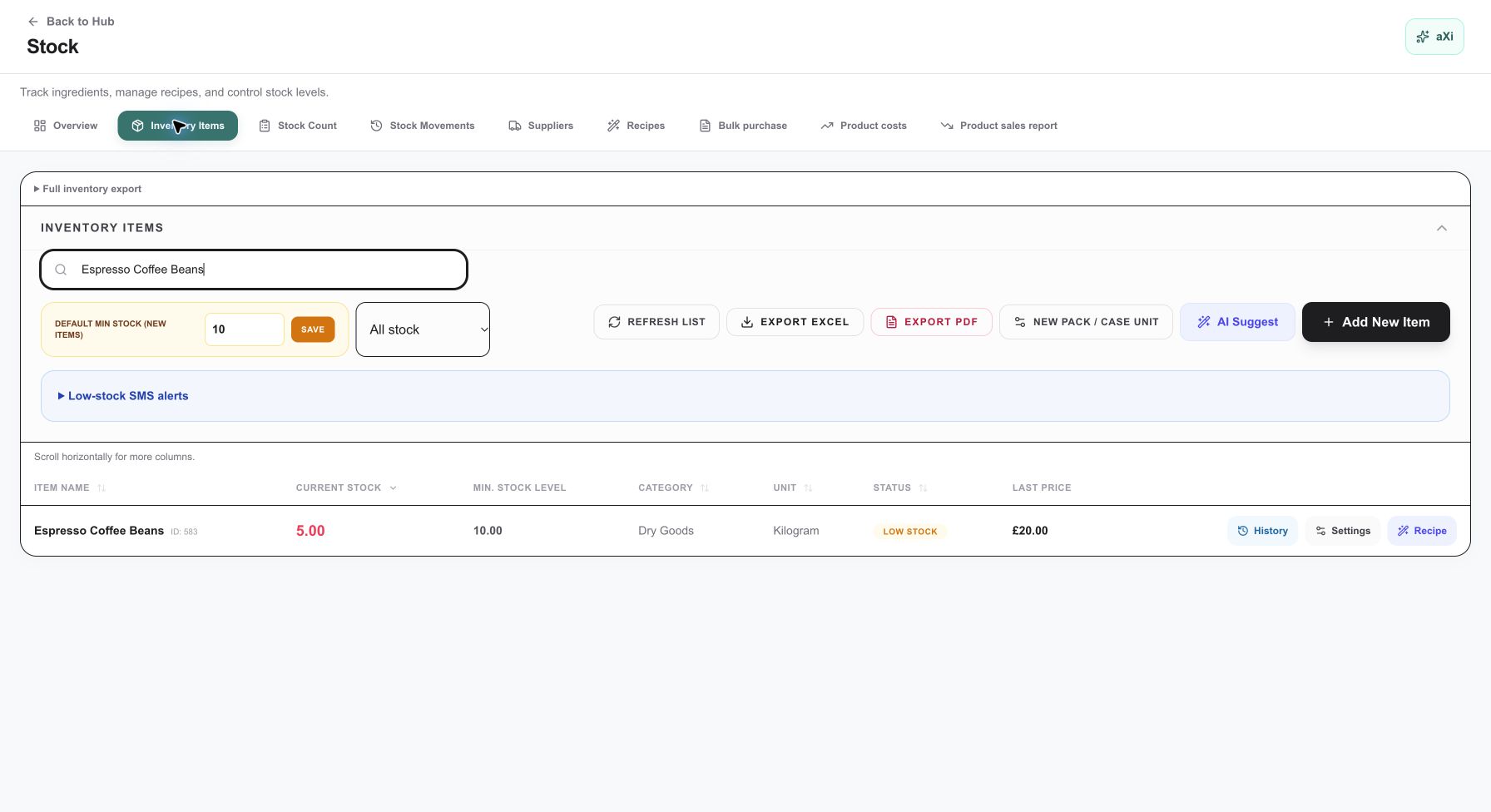
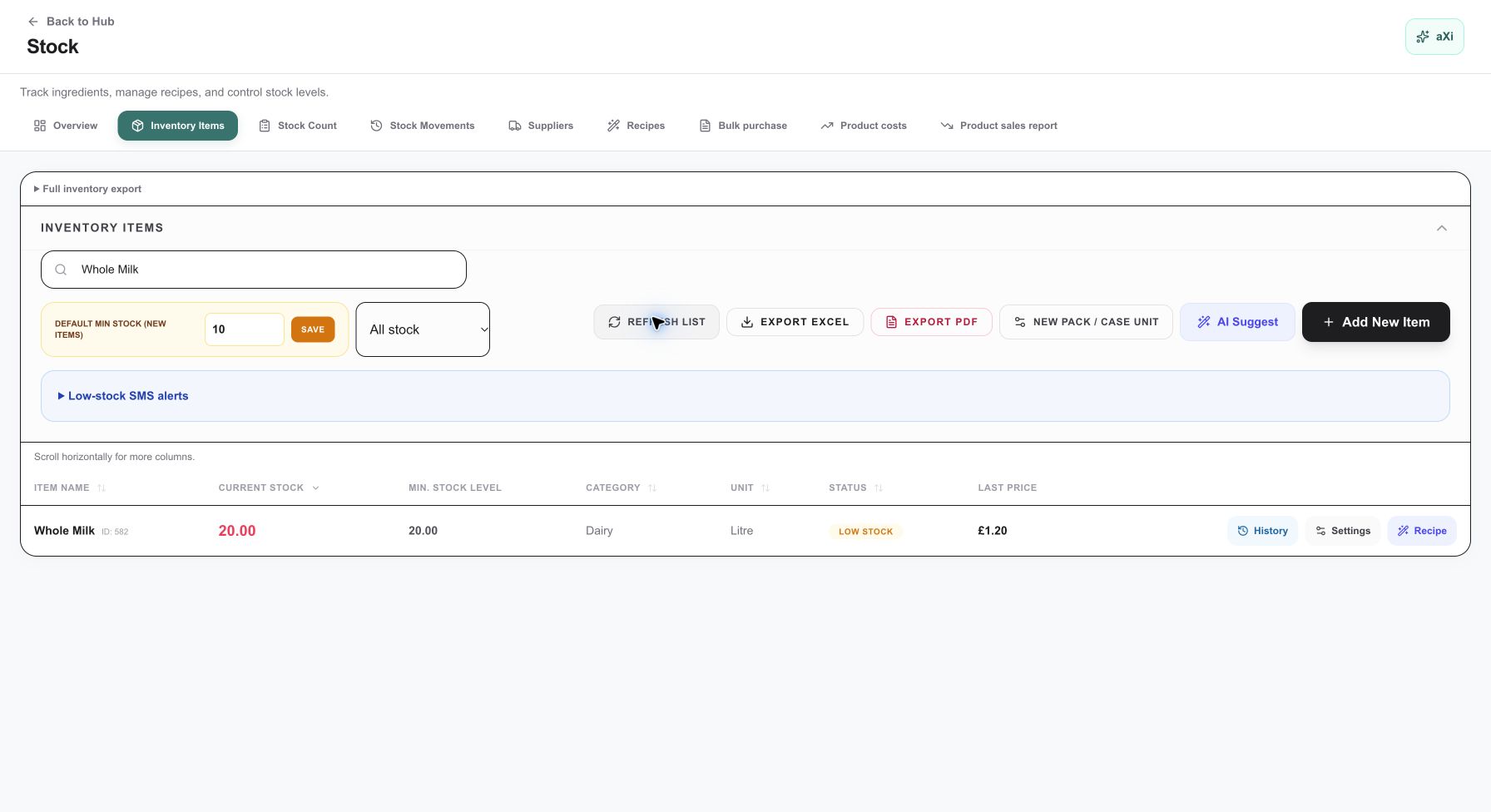
Match the units: coffee beans are recorded in kilograms and Whole Milk in litres. The recipe uses 0.018 kg (18 g) and 0.200 L (200 ml). Do not copy a litre quantity into a kilogram field or assume 1 kg equals 1 litre. Confirm the ingredient’s purchase unit and a valid conversion before configuring the recipe. Pack prices also need to be divided by the verified pack quantity.
Explore POSMENTOR stock and recipe tools
3. Build a complete recipe
Open Stock → Recipes and select the relevant menu product. Confirm the product and serving size, then link the ingredients with their correct quantities. Review any sub-recipes and options that affect consumption before using the result for costing.
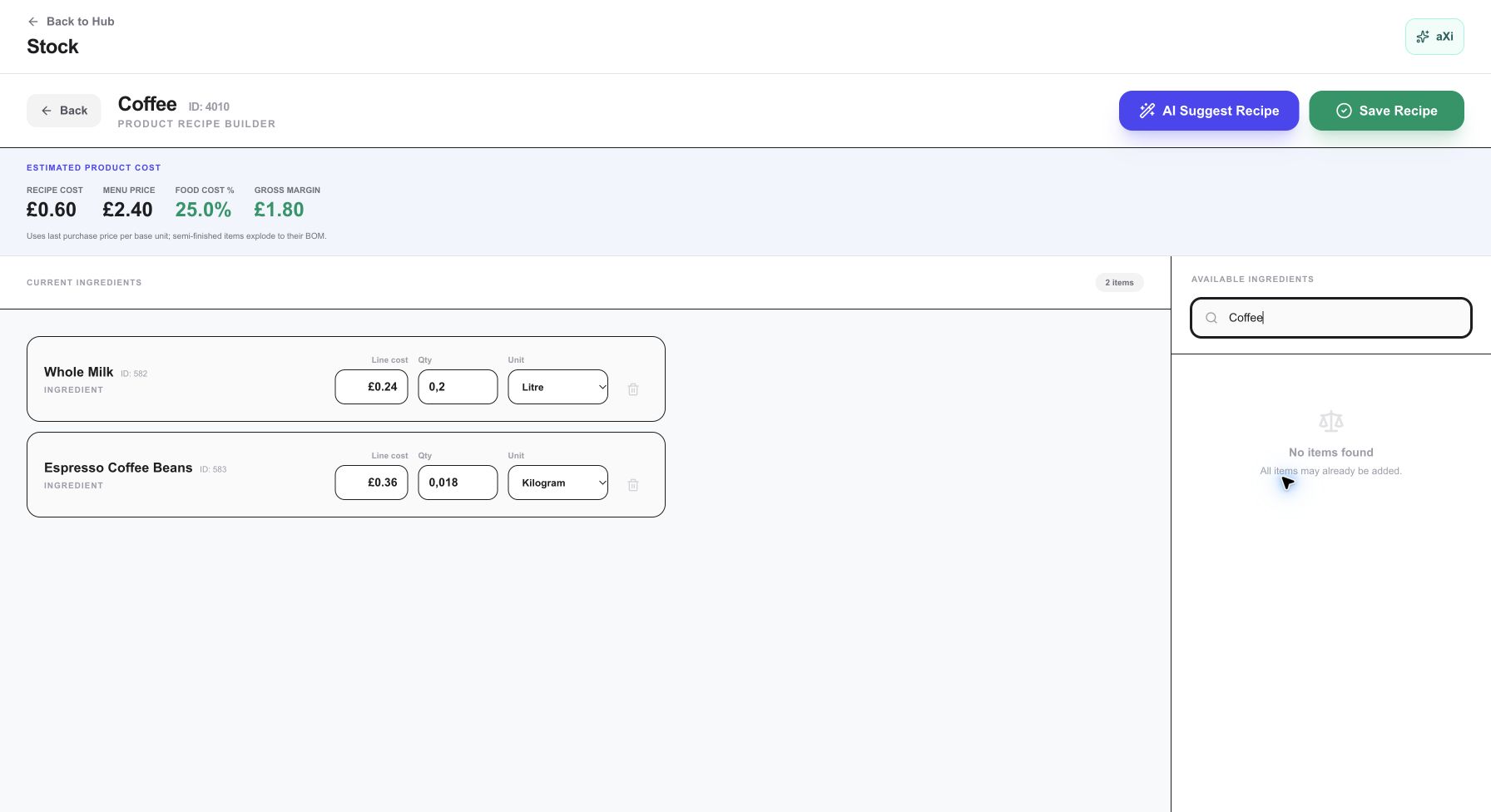
An empty recipe cannot establish a zero-cost drink. Before relying on a total, check that every ingredient has a known price, quantity and compatible unit. Check how your chosen sizes, milk alternatives and extra shots are mapped in your account; do not assume a modifier automatically changes a recipe.
The stock records and Coffee recipe were entered by the site owner for this example. Screenshots were then captured read-only; no orders or stock movements were created during capture or website testing.
4. Connect the recipe to stock consumption
POSMENTOR uses configured recipes for stock consumption when an order reaches completed status. Accurate consumption depends on the actual recipe and product configuration. An unpaid or unfinished order is not proof that the completed-order stock movement has occurred.
With the illustrative recipe above, 20 completed lattes would require 360 g of beans and 4 litres of milk, costing £12 in ingredients, before any additional waste. This is arithmetic based on the example, not a live stock test.
Compare expected usage with stock counts and recorded waste. A difference needs investigation: portions, spills, missing recipes and incorrect units can all affect the comparison. Use a demo account to test a new configuration before relying on it during service.
5. Keep ingredient cost separate from profit
The Coffee recipe screen uses a £2.40 menu price. Against a £0.60 ingredient cost, the arithmetic is 25% food cost (£0.60 ÷ £2.40 × 100) and a £1.80 difference. The screen labels that difference Gross Margin; it is not net profit and does not establish a tax-adjusted margin.
A selling price minus £0.60 is not your net profit. To assess the whole drink, account for the costs relevant to your café:
- Cups, lids and other packaging for takeaway orders.
- Spillage, discarded milk, dialling-in coffee and other waste.
- Staff time, rent, utilities and equipment costs.
- Card processing and other applicable service fees.
- The tax basis of both your selling price and purchase costs.
Leave an unconfirmed cost open rather than entering zero. Update ingredient prices when purchasing costs change and recheck portions when you change the recipe.
Bring one drink to your POS demo
Bring your latte recipe, supplier pack sizes and invoices. Ask to see the ingredient setup, complete recipe and the resulting cost and stock behaviour in a demonstration account.
Continue with stock and recipes, explore POSMENTOR for cafés, or compare software and equipment costs in the café POS cost guide. Our small café POS selection guide helps you prepare the rest of your demo.