
See the ingredients behind the numbers.
Connect products to recipes, track ingredient stock and understand the cost behind your menu.
See it with your venue in mind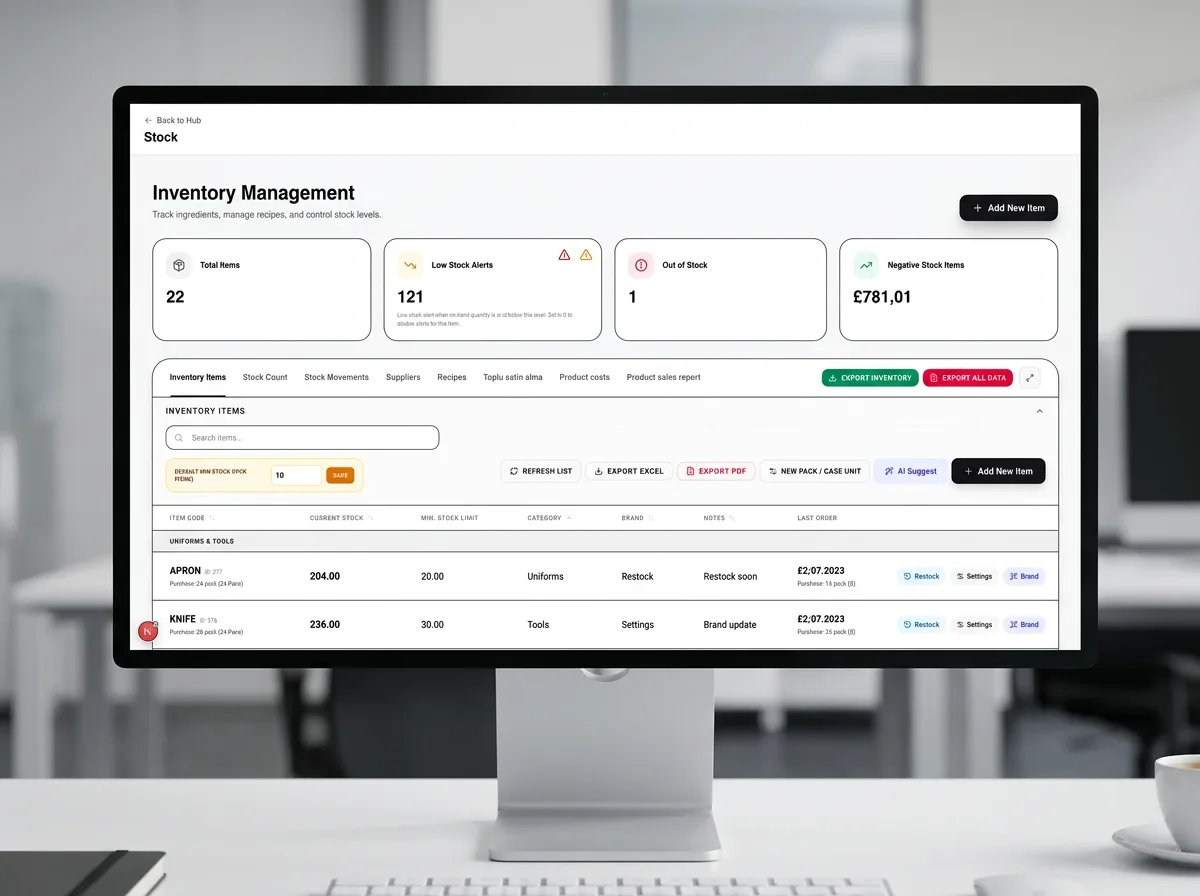
A connected way
to get things done.
Stock is tracked in base units. Recipes connect what you sell to what you use, including sub-recipes and configured extras. Completed orders drive recipe-based consumption. Inventory settings and recipes need to be configured for your menu.
- Connect menu products to ingredient recipes.
- Track stock movements and low-stock levels.
- Review product costs alongside selling prices.
Good questions.
Straight answers.
Have something else in mind?
Ask the teamWhich plan includes inventory and recipes?
Inventory and recipes are included in POS Pro and Pro Enterprise. Core and Restaurant do not include this module.
Will it work with my existing hardware?
POSMENTOR runs in a web browser. Local printing uses Ax Bridge with compatible network ESC/POS printers. Supported PAX card terminals use POSitive WebLink. Send us your device models so we can confirm compatibility before you commit.
What should I confirm before subscribing?
Confirm applicable VAT, the number of venues and devices covered, hardware requirements, setup services, payment processing charges and cancellation terms with the team. The prices shown here are monthly software plan prices.
Less juggling.
More hospitality.
Get a feel for POSMENTOR in your own time.
Or let us show you around.